Workspace
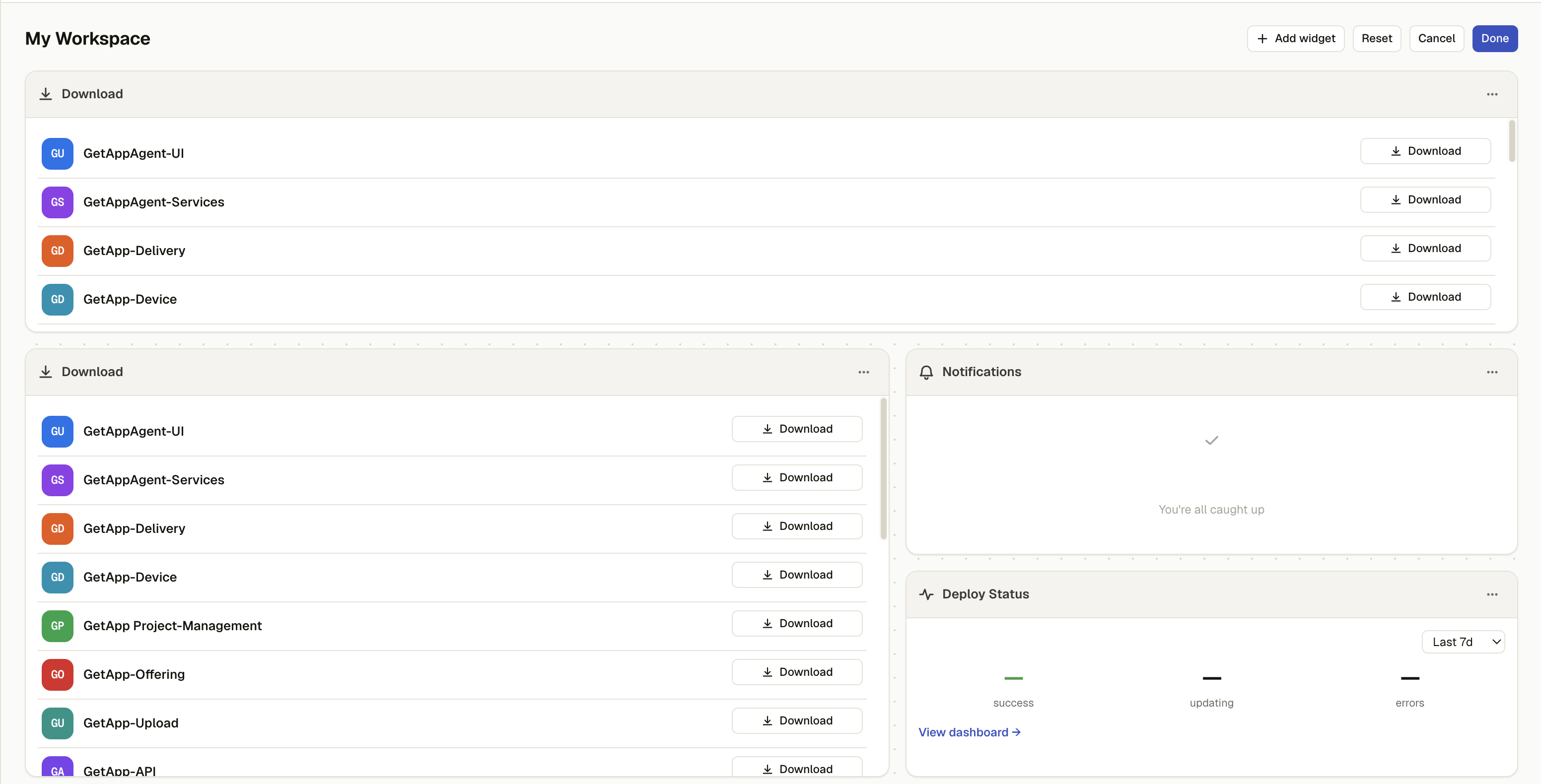
The Store portal's landing tab — a per-user, customizable grid of widgets, not a fixed page. It replaced the old flat/featured app feed: Download is now one widget among several, rather than the whole page.
Permission level: Any signed-in user (some widgets need more — see below)
Where it lives
Store → Workspace (the Store portal's first/default tab).
What you see
A drag-and-resize grid (12 columns), seeded on first visit with three widgets:
| Widget | What it shows |
|---|---|
| Download | A compact, scrollable catalog list — icon, name, version, and the same Install/Open/Download action used elsewhere in Store. Clicking an app opens its detail page. Optionally scoped to one category, or capped to a page size. |
| Notifications | Pending versions and resources needing attention — "You're all caught up" when there's nothing. Requires manage-discovery. |
| Deploy Status | Deploy health metrics — success / updating / errors — over a selectable range (defaults to Last 7d), with a View dashboard link out. Requires manage-discovery. |
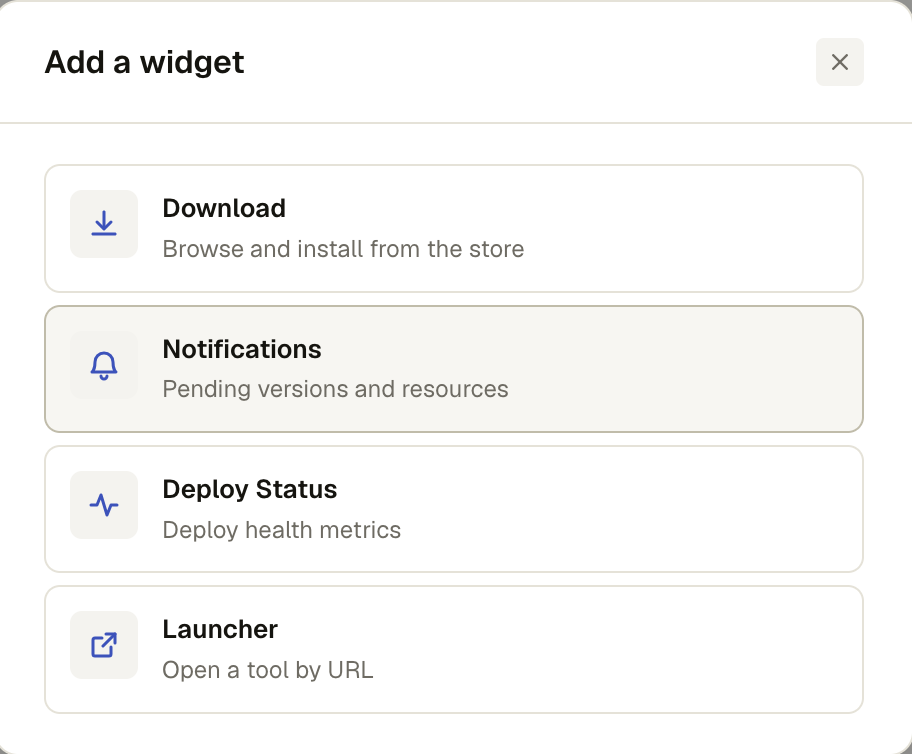
A fourth widget kind exists but isn't seeded by default:
| Widget | What it shows |
|---|---|
| Launcher | Opens a URL you configure, either in a new tab or as an embedded iframe. Shows an Add launcher prompt until configured. |
Below 720px of container width the grid collapses to a single column.
What you can do
Edit layout switches the toolbar into edit mode:
- Add widget — opens a picker listing every widget kind you have permission to use (each with its icon, name, and description)
- Drag a widget by its header to reposition it; drag its corner to resize
- Per widget: Duplicate, Configure (Launcher only — set its URL, label, and open mode), or Remove
- Reset restores the seeded default layout (Download + Notifications + Deploy Status)
- Cancel discards changes made since entering edit mode; Done exits edit mode and keeps them
Persistence
Your layout is saved per-user automatically as you edit (no explicit save step) and reloads exactly as you left it next time. It's local to your account, not shared with anyone else who uses the same catalog.