Manage Groups
Build and maintain the group hierarchy, and assign platforms to it.
Permission level: Admin to view; the manage-discovery permission to create, edit,
delete, move, or reassign anything (deployments without role gating enabled show every action
to every Admin)
Where it lives
Admin → Groups.
What you see
- Header: total groups, platforms, and devices across the whole hierarchy, with a LIVE chip
- Tree view (default) — nested groups with an expand arrow, platform/subgroup counts as chips, and (when expanded) the group's own platforms listed with their device count
- Table view — the same hierarchy flattened, one section per group with its platforms in a plain table
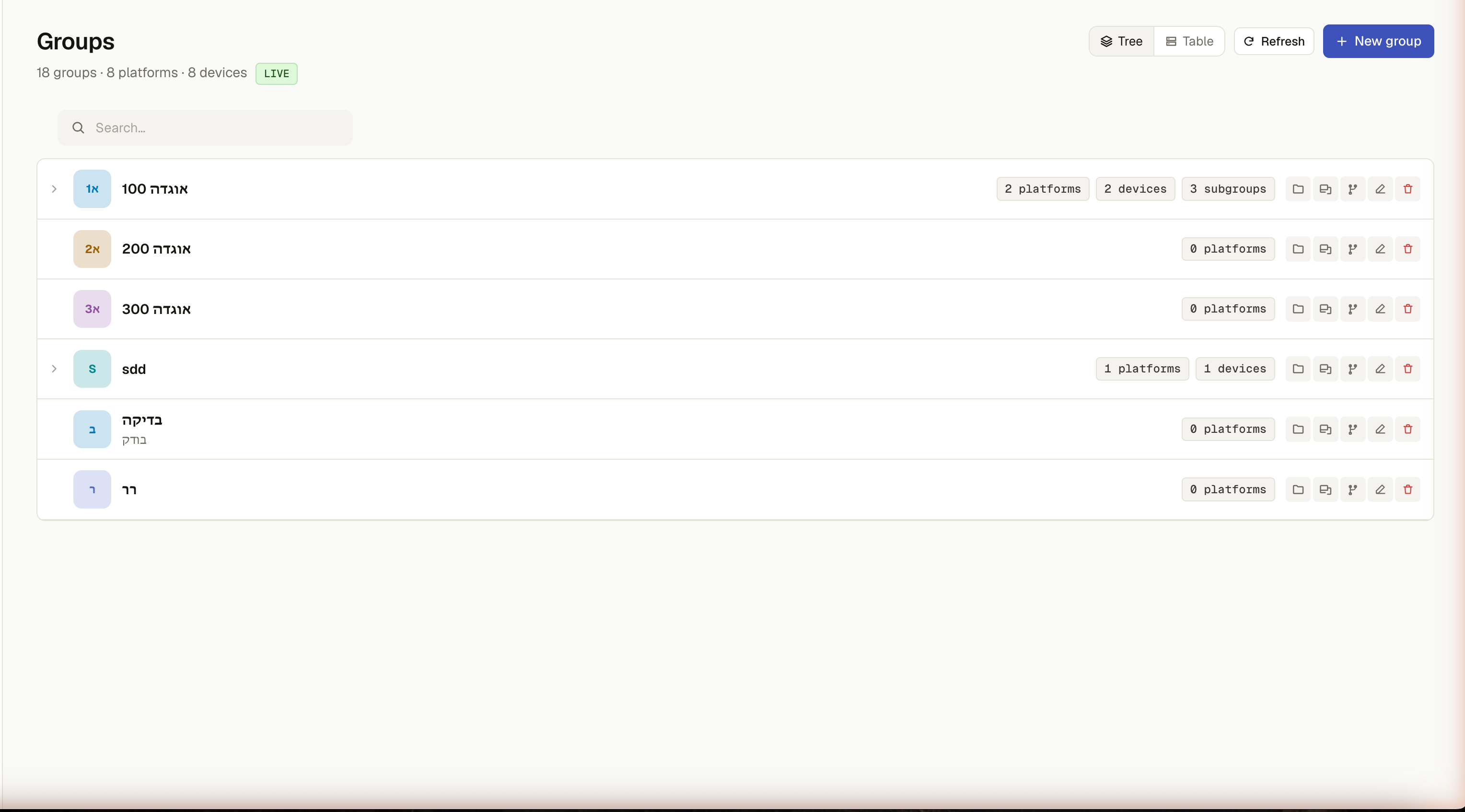
- Search filters by name/description, keeping any matched node's ancestors visible so you can still see where it sits in the tree
What you can do
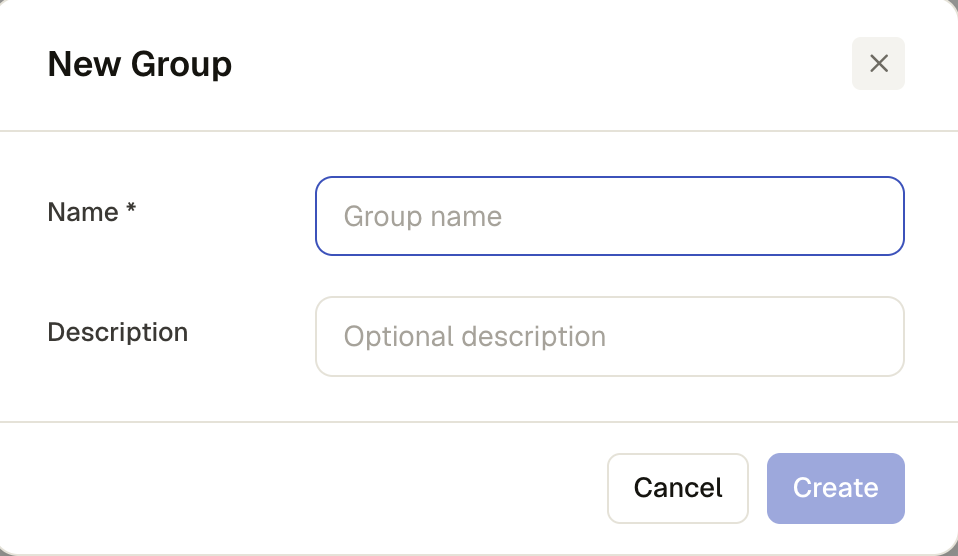
- New group (top-level) or, on any existing group, Add subgroup — name + optional description
- Edit a group's name/description, or Delete it (its subgroups are detached, not deleted, and reparented to root)
- Move a group under a different parent — its own descendants are hidden from the parent picker so you can't create a cycle; picking None makes it a root group again
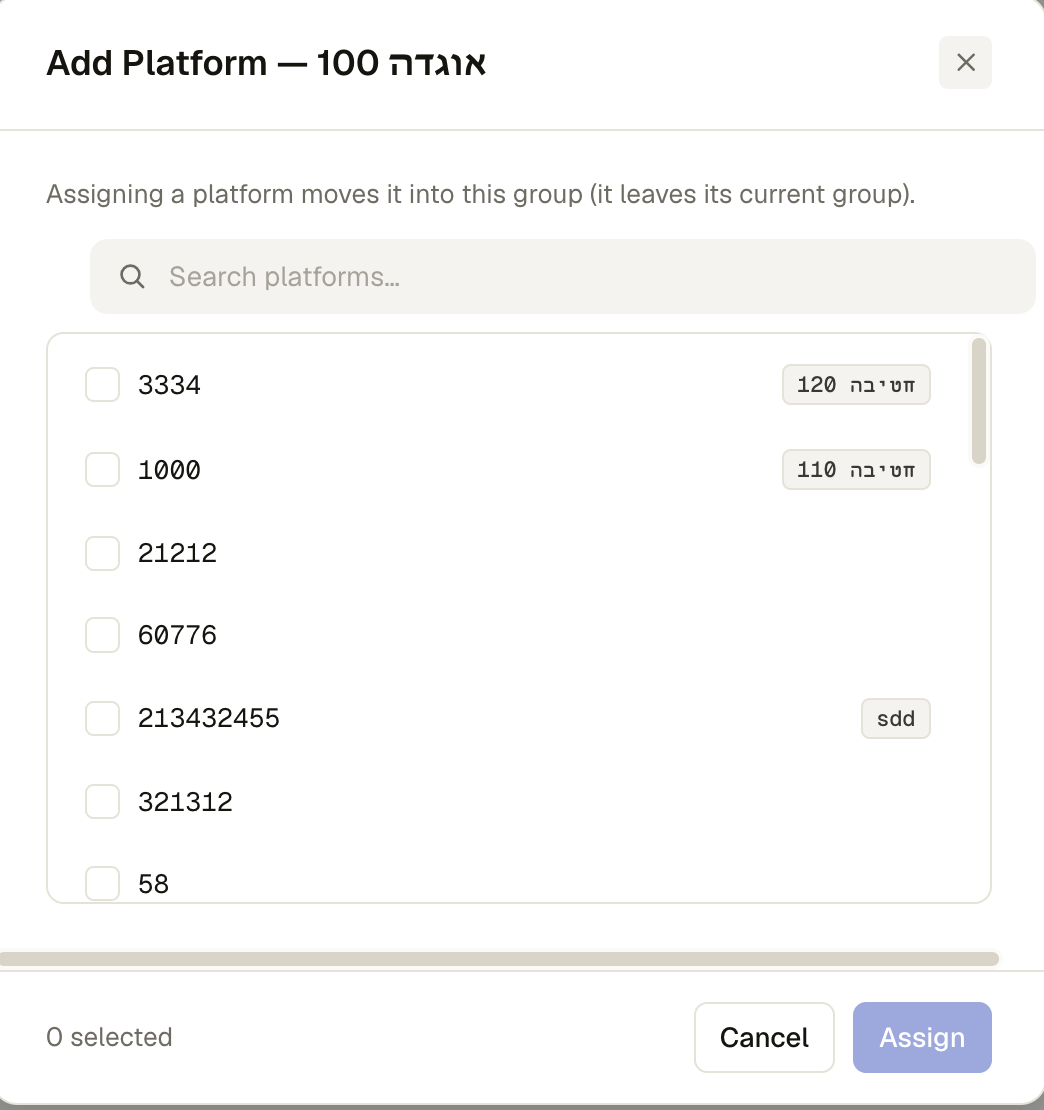
- Add platform — search available platforms and multi-select; assigning a platform moves it here from wherever it currently lives, and the dialog warns you up front which picks would move a platform out of another group before you confirm
- Remove a platform from a group directly (the ✕ next to it in either view)