Multiple Software Delivery
Push a released application version from the Catalog out to one or more platforms, via a 3-step wizard.
Permission level: Admin
Where it lives
Admin → Catalog → Applications tab → Install on platform on an app's row.
What you see and can do
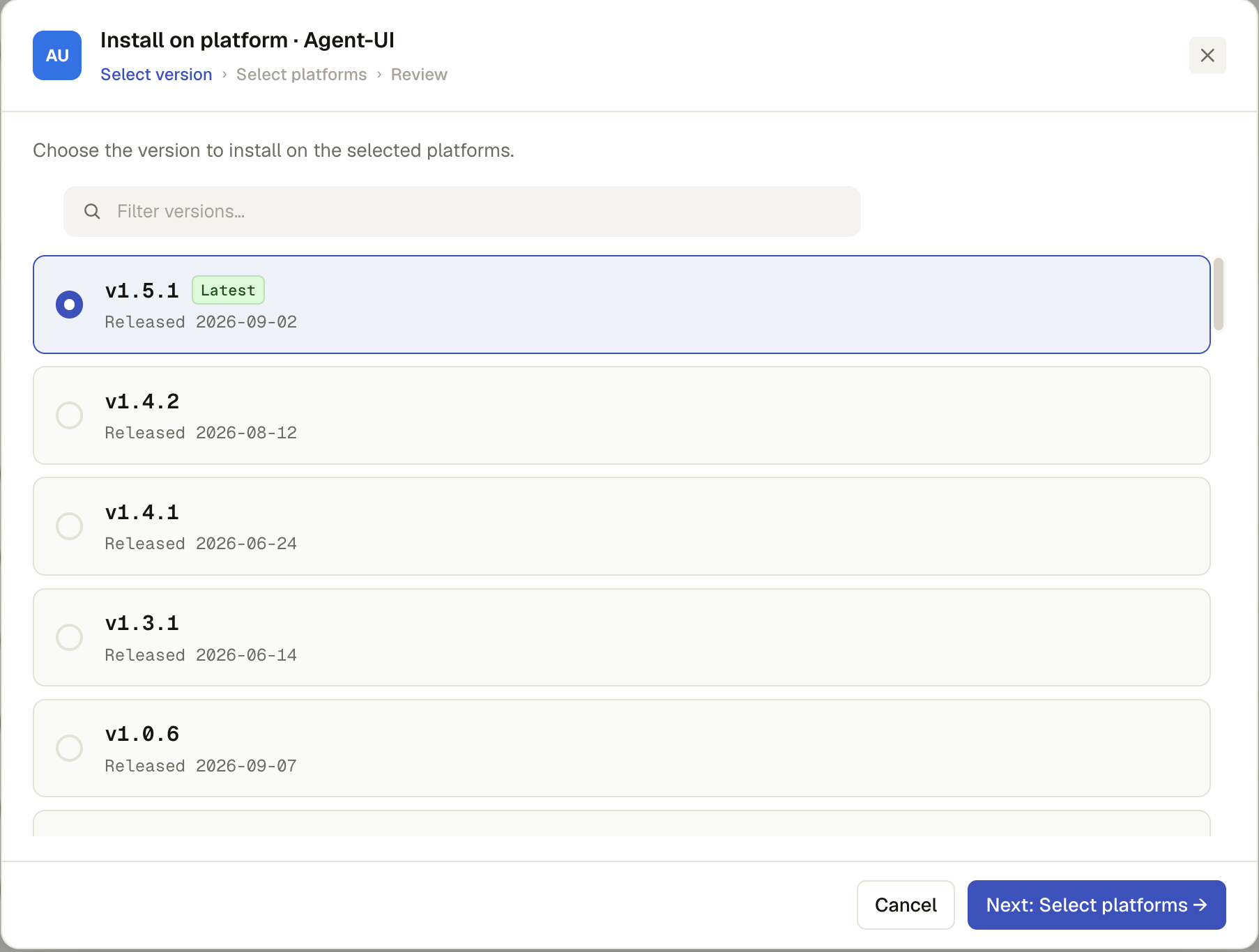
Step 1 — Select version
Every released version of the app (draft/unreleased versions aren't offered), newest first, each marked with its release date and a Latest chip where it applies. A search box appears once there are 8+ released versions. Pick one, then Next: Select platforms.
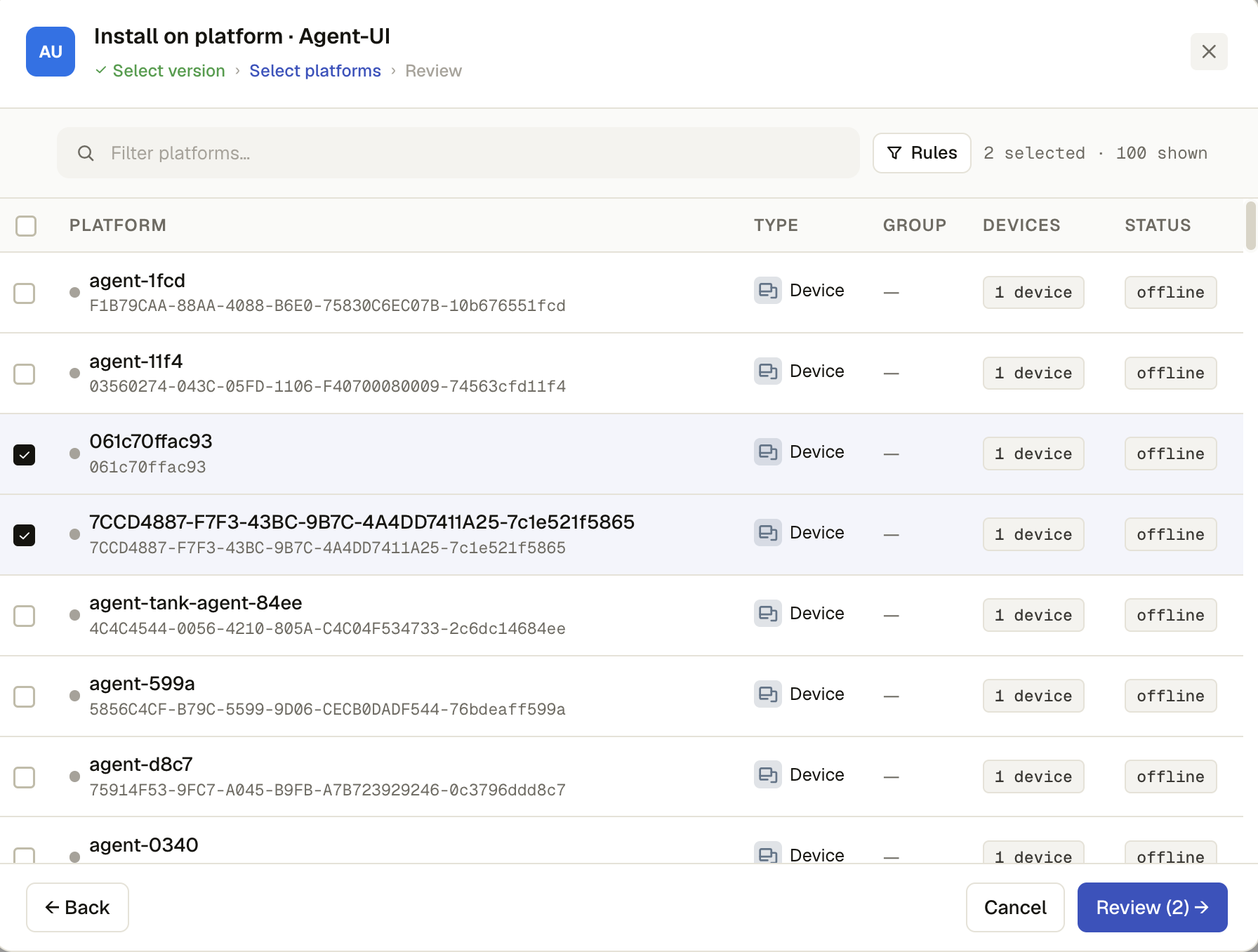
Step 2 — Select platforms
The same platform picker used elsewhere in Admin: search by name/ID/group, an advanced Rules search (rule-engine query or a quick metadata match), a select-all checkbox, and one row per platform (never a bare child device) with its type, group, device count, and status. Multi-select as many as you need, then Review.
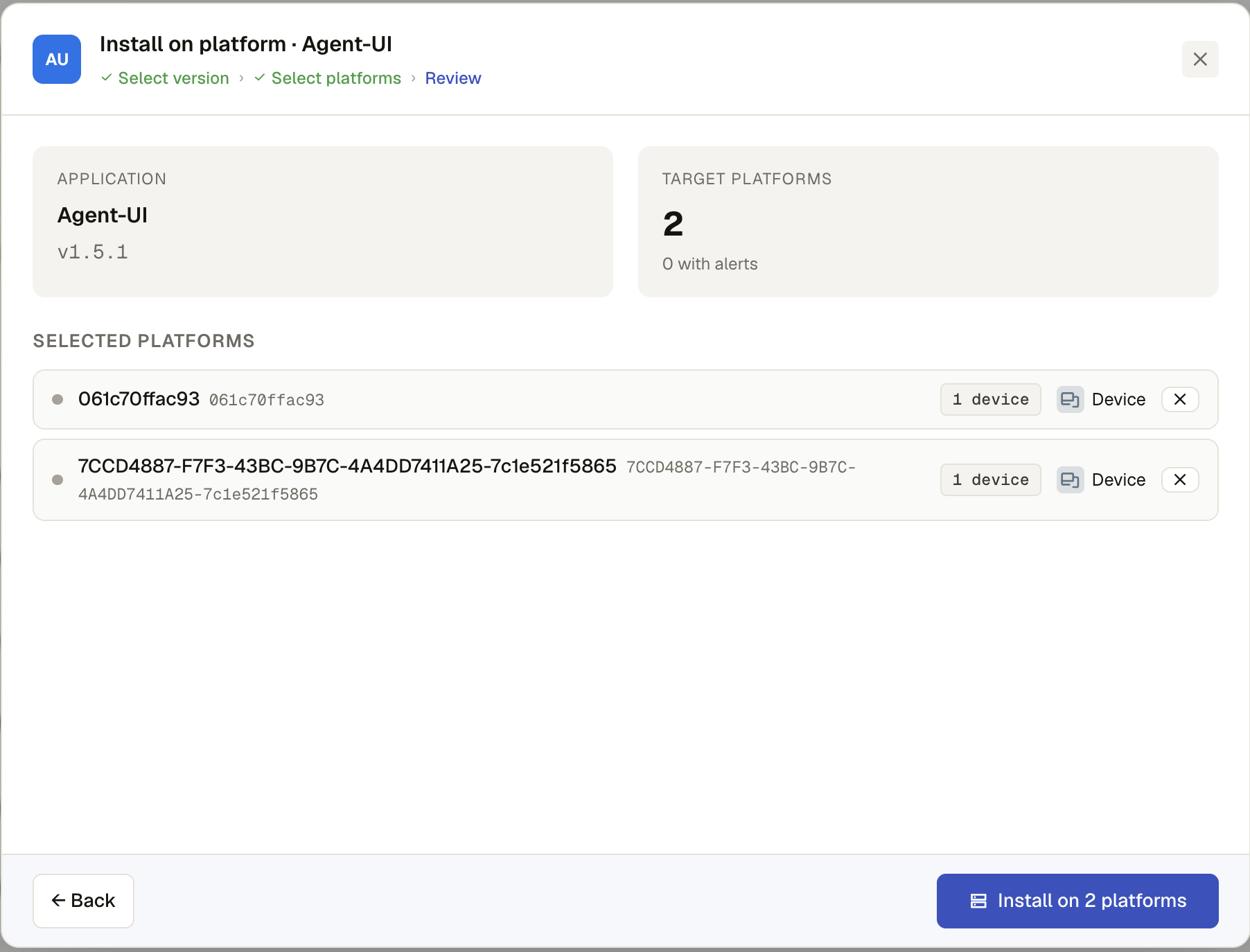
Step 3 — Review
A summary (application + version, target platform count) and the full list of selected platforms. Any platform that violates an active rule/restriction is flagged inline with the violated rule's name, so you can catch it before pushing rather than after. Deselect a platform here with its ✕ if you change your mind. Install on N platforms sends the push.
A successful click means the push was accepted, not that installation finished — the gateway delivers it asynchronously. Watch progress in each platform's Status chip or its Journal.
The install always targets the platform's own ID — the device running the agent — never a child device's ID. A platform with several member devices still receives one push, at the platform level.