Rules — Overview
Policies, push policies, and restrictions are all the same underlying object — a rule — built and managed from one screen.
Permission level: Admin
Policies vs. Restrictions
A policy is a release-level filter: "which devices should receive this version?" It's associated with one or more specific releases, and its conditions decide which devices those releases apply to.
A restriction is a device-level filter: "what is this device allowed to install?" It's associated with device types, OS types, or explicit devices instead of a release, and its conditions apply across every project — not just one.
They work together: a release only reaches a device when it satisfies whatever policy scopes it, and the target device doesn't violate any active restriction. A Push Policy is just a policy with delivery turned on, and Debug lets you check either kind against real devices or releases before you trust it.
The rule engine
Every rule — policy or restriction — shares the same structure and condition builder.
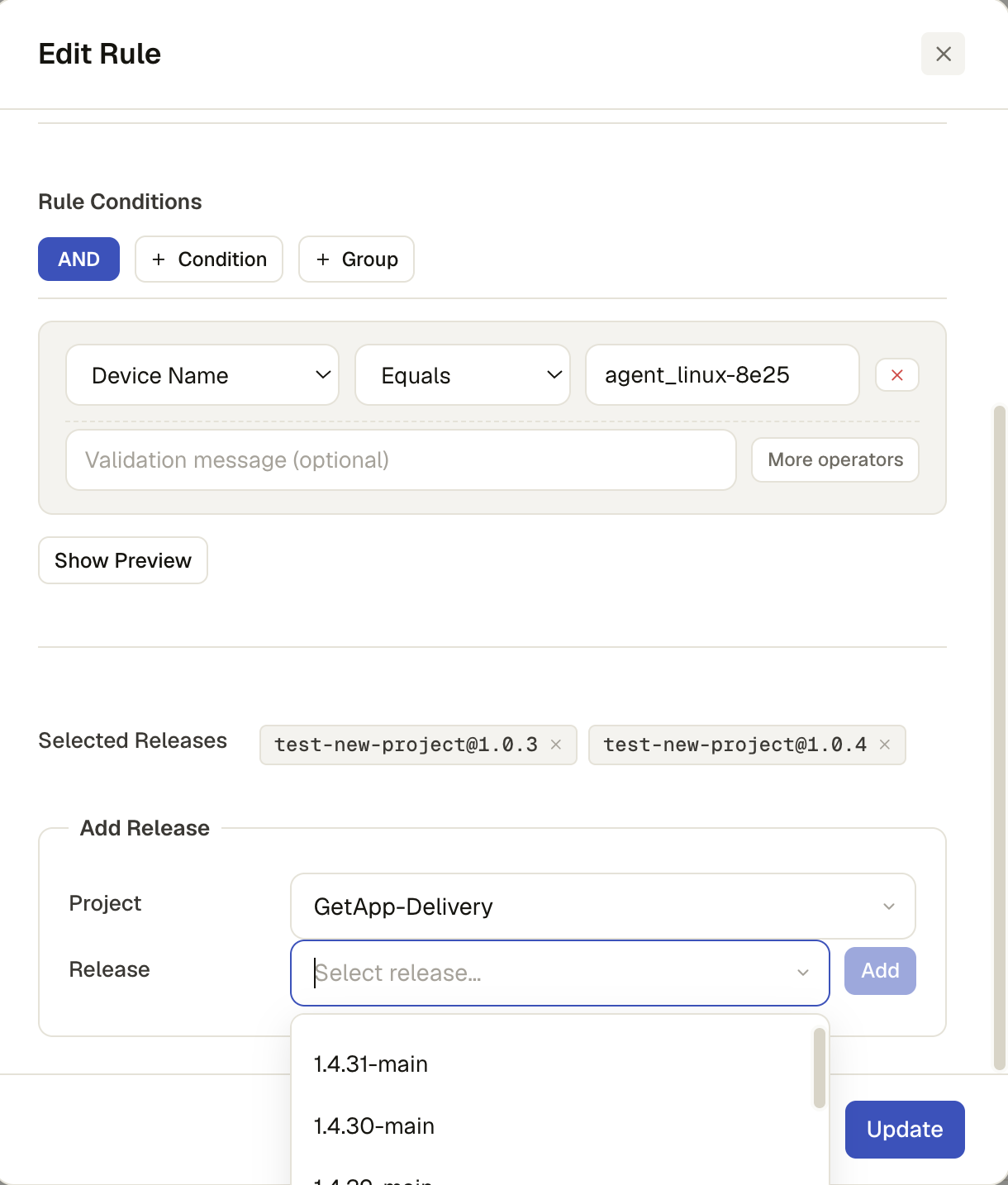
Rule structure: Name, optional Description, Type (Policy/Restriction), Active on/off, Association (what it targets), and a Rule Expression (the conditions below).
Conditions: nested AND/OR groups of Field / Operator / Value rows. Fields come from the
server's rule-field list plus two built-in version fields (release.version,
installed.version). Operators depend on the field's type:
| Field type | Operators |
|---|---|
| Number | Equals, Not Equals, Greater/Less Than, Greater/Less Than or Equal |
| String | Equals, Not Equals, Contains, Not Contains, Starts With, Ends With, Matches (regex) |
| Array | Contains, Not Contains, In, Not In |
| Version | Version Equals/Not Equal, Version Greater/Less Than, Version Greater/Less Than or Equal |
| Any field | Existence — is set / is not set |
Each condition can also carry an optional validation message — free text explaining why that condition exists, surfaced wherever the blocking rule is shown (see Restrictions).
Why use rules at all
- One place to manage it — no touching individual devices or redeploying anything
- Precise targeting — any combination of release, device type, OS, or explicit device
- Guardrails — stop incompatible or unapproved software before it installs
- Change anytime — toggle a rule off instead of undoing a deployment
- Test before you trust it — Debug shows exactly who a rule would match, before it's live
Where it lives
Admin → Rules.
What you see
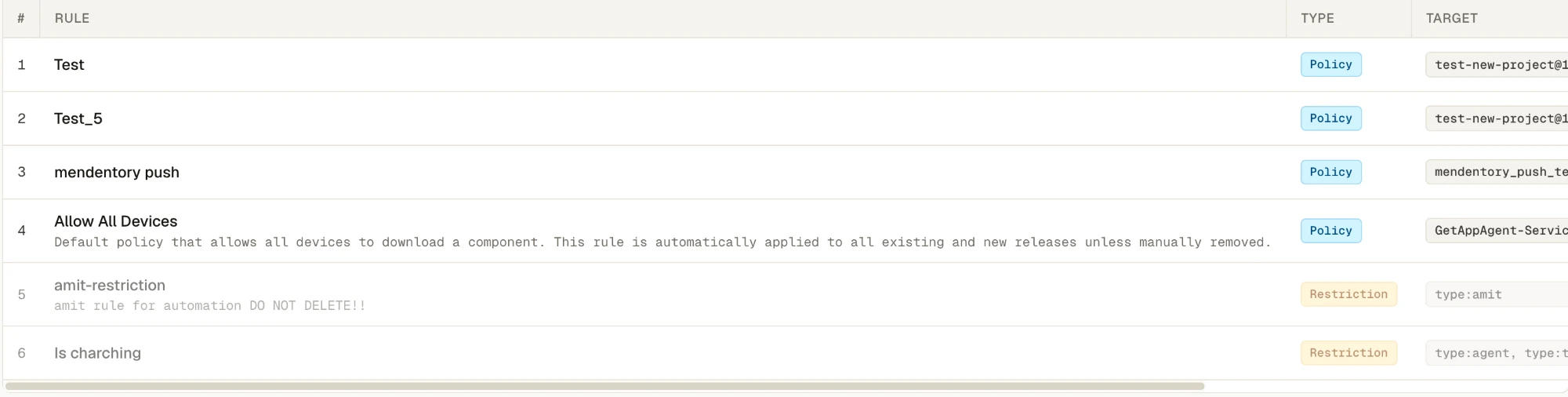
- Header: how many rules are active vs. total, a LIVE chip once rules have loaded
- Search, and filter buttons for All / Policies / Restrictions
- The rules table: name + description, a Policy/Restriction type chip, its Target
(the releases, device types, OS types, or device count it's scoped to —
allif none), Status (Active/Off), a Push chip when push mode is on, and per-row actions
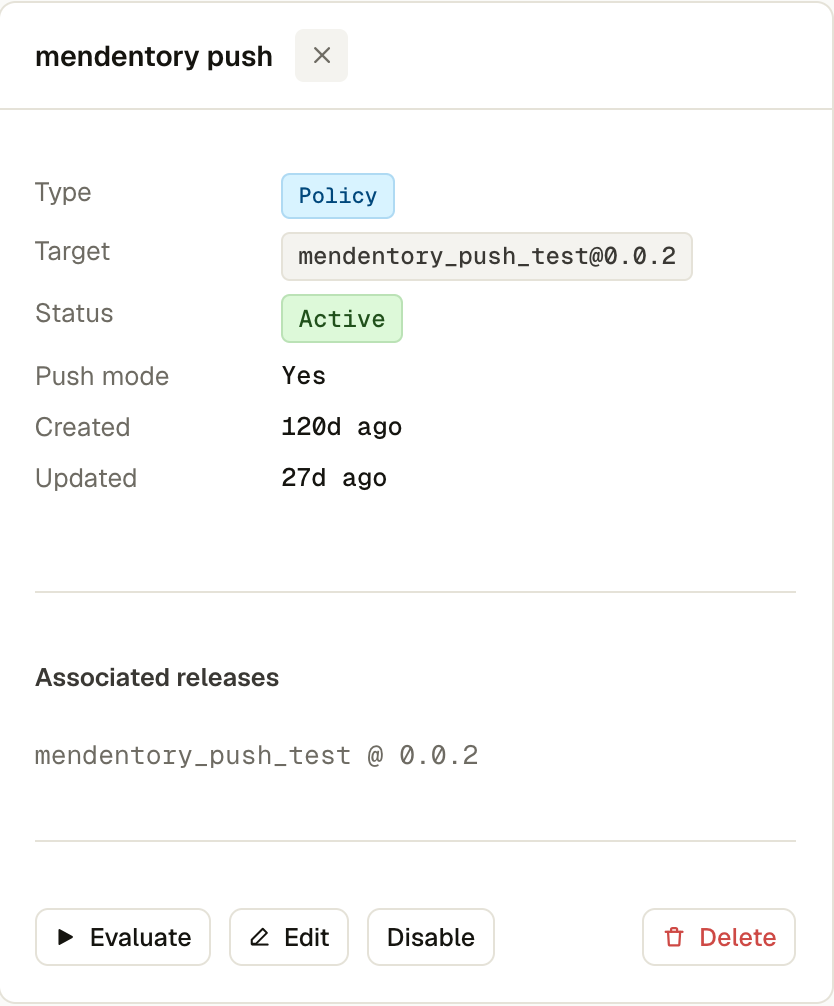
- Clicking a row opens its detail panel: full type/target/description/status, any semver
conditions in plain English (e.g.
Release Version ≥ 2.0.0), associated releases, and device-type/OS chips
What you can do
- New rule to open the create dialog, or Edit/Duplicate an existing one from its row or detail panel
- Per row: Evaluate (see Debug), Edit, Duplicate, Off/On (toggle active), Delete
The rule form
- Name, Description, Type (Policy or Restriction — Policy vs. Restrictions), Active, and Push to devices (see Push Policy)
- The condition builder described above — + Condition adds a row to the current group, + Group nests a new AND/OR group inside it, and the AND/OR button on a group toggles its logic
- What comes after the condition builder depends on the Type you picked — see Policy and Restrictions