Configuration
Per-platform (per-device) configuration: grouped key/value settings, pushed to the agent as a versioned revision. Edit as a form or as raw YAML, keep a revision history, and optionally link in shared ConfigMaps.
Permission level: Admin, with the manage-config permission specifically required to edit
(viewing is available to anyone who can open the drawer)
Where it lives
Platform Table or Platform Information → ⋯ → Edit config (table row) or the drawer's Edit config button.
What you see
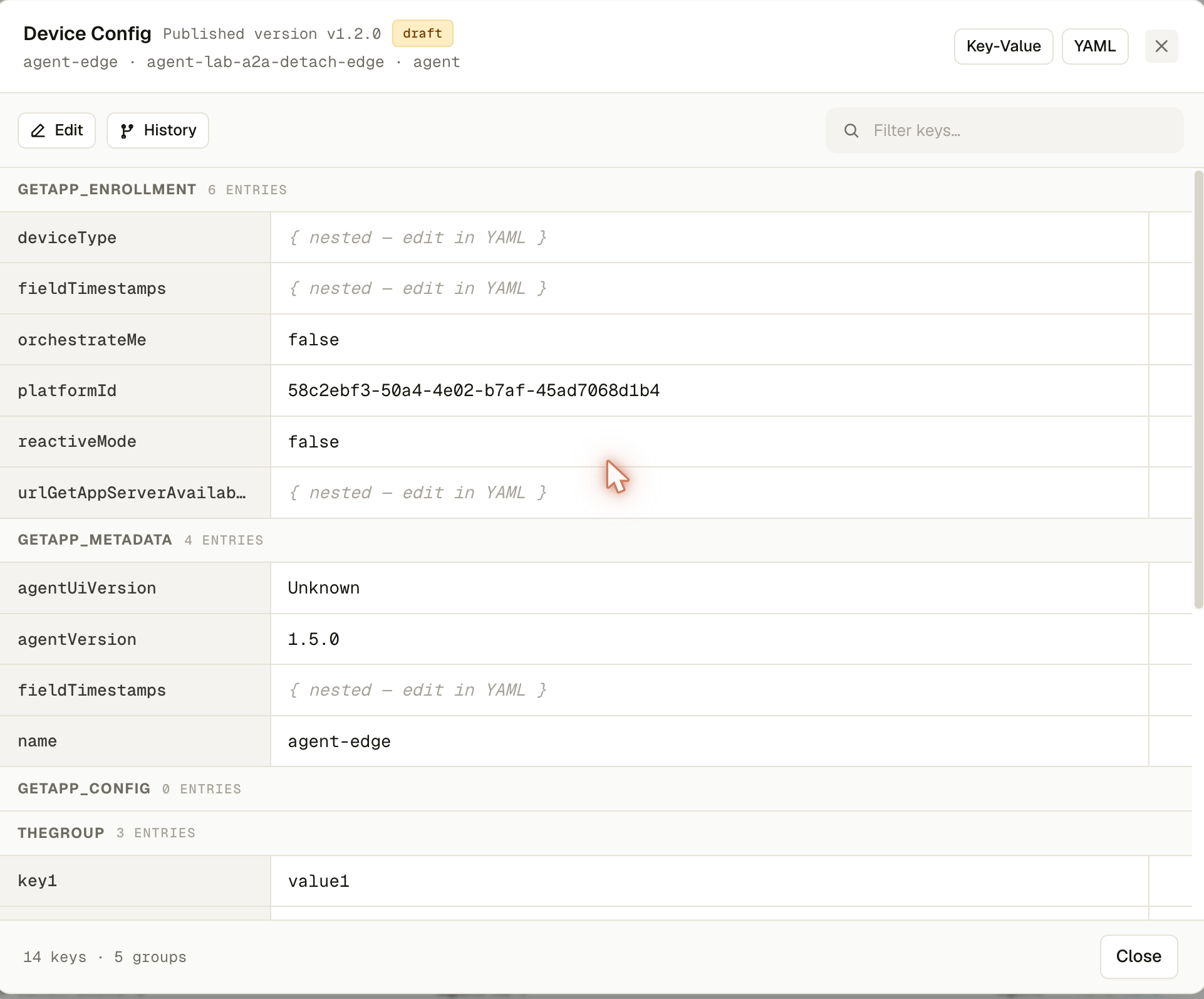
- Header — the published version (e.g.
v2.1.0), a draft chip if one is in progress, and the target device's name/ID/type - Key-Value / YAML toggle — the same underlying data, two views
- The config as groups, each a named section of key/value entries; sensitive keys show a shield icon and start blank rather than exposing the stored secret
- Linked ConfigMaps — shared config applied to this device from a ConfigMap project, listed read-only with an expandable key list
- A History panel — every past revision with its number, semantic version, status (active/draft/archived), timestamp, and who applied it; clicking one shows it read-only
What you can do
- Edit — opens (or creates) a draft revision you can change freely: edit a value inline, delete a key, add a new key via the row at the bottom of each group, or add/edit/ delete whole groups (name, display name, global flag)
- Switch to the YAML view to edit the whole group as raw text instead of row-by-row — switching back re-parses it, and invalid YAML blocks the switch until it's fixed
- Reset — discard changes in the draft back to where it started
- Cancel — exit edit mode; discards the draft entirely if nothing was worth keeping
- Apply config — saves the draft as the new active revision (labeled with who applied it and when)
- Link ConfigMap — attach a shared ConfigMap project to this device (not available while viewing an older revision)
- Browse History and reopen any past revision read-only; a banner reminds you it's a past revision with a one-click way back to the latest
Demo mode
This screen has full demo support — in a demo session it seeds one realistic revision locally so you can try every editing action without a real backend.