Platform Information
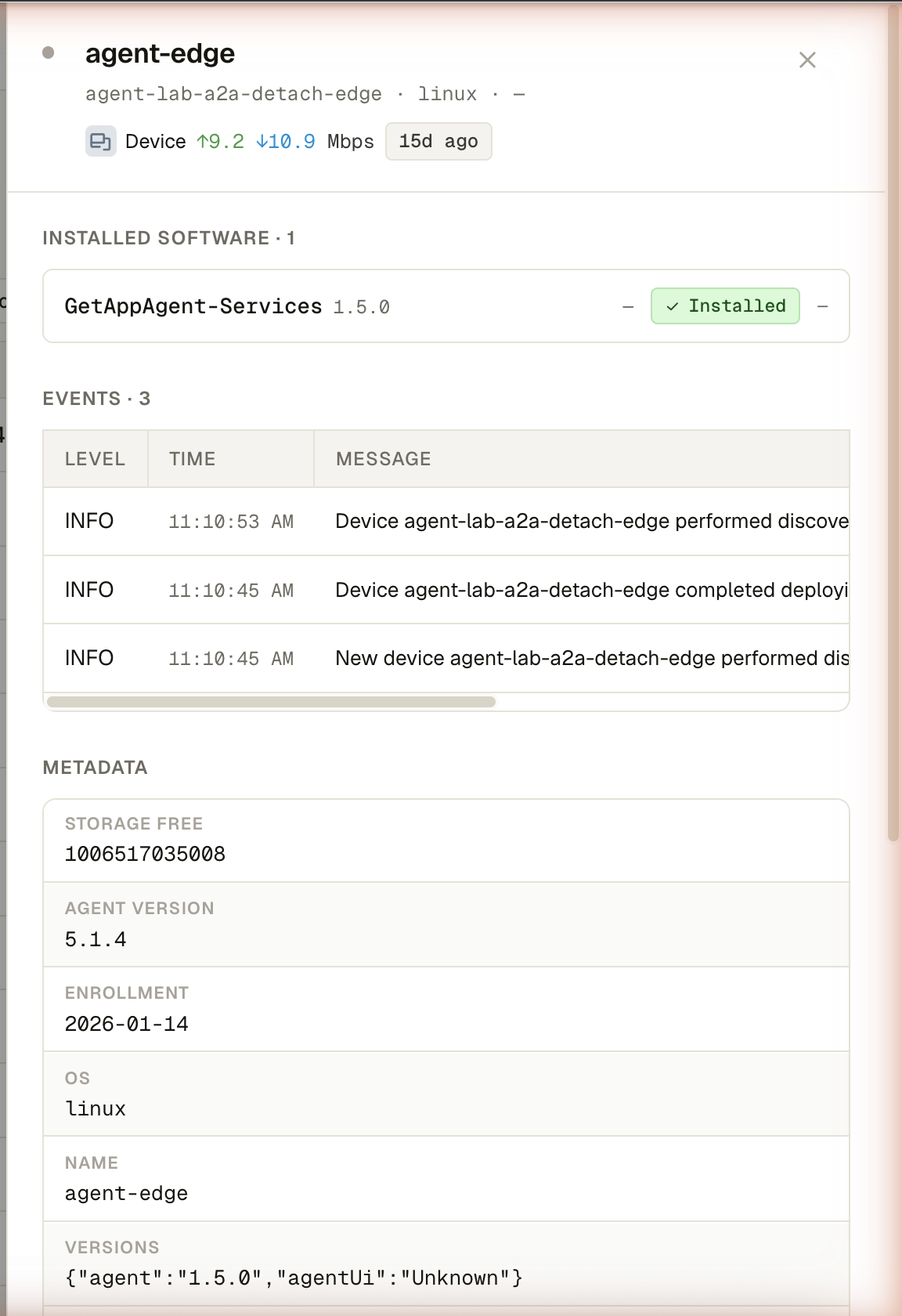
The detail drawer for a single platform — installed software, recent events, and metadata, aggregated across every device the platform is made of.
Permission level: Admin
Where it lives
Click any row in the Platform Table (anywhere except the expander,
checkbox, Status cell, or ⋯ menu) to slide this drawer in from the right.
What you see
- Header — platform name, ID, type, member-device count, and a status dot; the platform type card and last-seen chip sit just below
- Installed software — one row per app installed on any member device (deduplicated), aggregated across the whole platform, not just the master device
- Events — the platform's recent alerts, newest first, with level/time/message/source columns; collapses to the latest 4 with a Show more toggle beyond that
- Metadata — every key the platform reports (
platform_id,platform_type,member_count,master_device, plus every custom metadata key from the agent), each row showing the raw key and value
What you can do
Three actions in the drawer's footer (shared with the single-device drawer, so both stay in parity):
| Action | What it does |
|---|---|
| Journal | Opens Platform Journal — always visible, it's read-only |
| Edit config | Opens Configuration — only shown with the manage-config permission |
| Delete | Removes the platform's master device, after confirmation — only shown with the manage-discovery permission |
Click a device inside the software/events rows' attribution, or the drawer's close button (✕), to dismiss it.